What the official progression loop says
The official Roblox description connects treadmill training to Speed, then connects Speed with reaching richer areas and greater treasures. It does not name an area, route, access prompt, or required Speed value.
Run one repeatable check in your server
A small before and after record helps you identify what your own server allows. Keep the test tied to one entrance so that another player, route, or server change does not get mixed into the result.
- Record the Speed value shown on your HUD.
- Choose the richer area you want to reach and inspect the approach for a sign or interaction prompt. Record the exact text if one appears.
- Train on the treadmill, then return to the same approach and check it again.
- Write down whether access changed and the Speed value you had at that point. Repeat later if you need a second observation.
A recorded treadmill screen is a session example
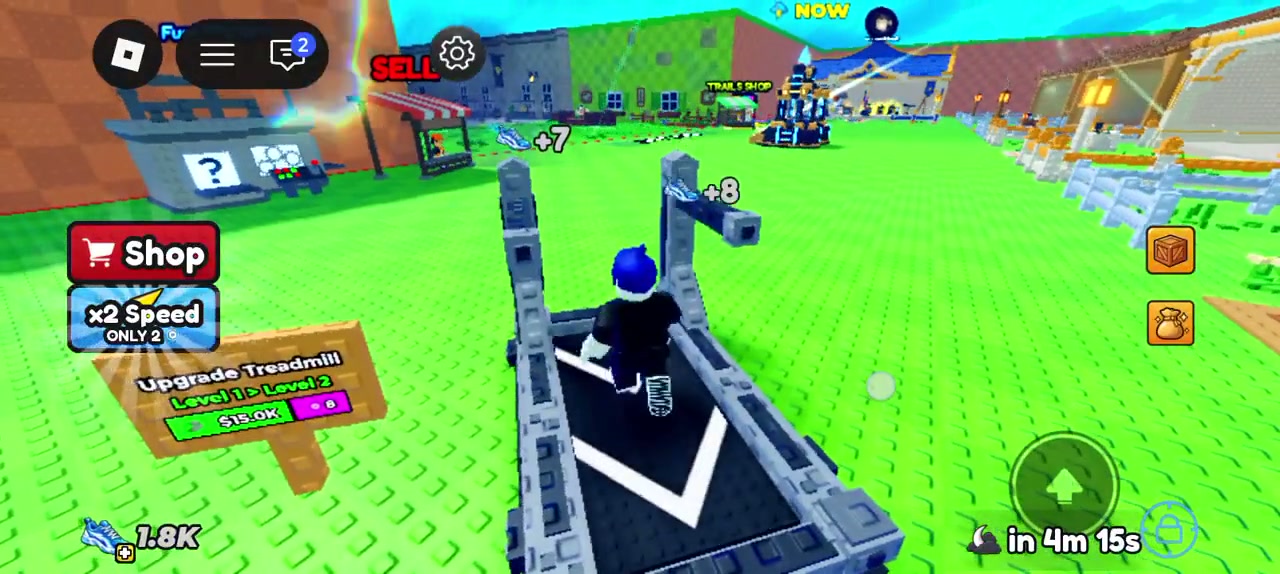
At 00:03:11, one video shows a Speed HUD of 1.8K while floating shoe indicators show +7 and +8. The frame shows treadmill training. It does not show an area entrance or an access threshold.
Keep gate numbers tied to a live observation
The reviewed sources do not establish a universal Speed requirement or a fixed route. Use the sign or prompt in your current server when it provides one, and keep any number you record attached to its area, server session, and date.
Guide notes
Record your current Speed HUD
Choose one area entrance to check
Read any requirement displayed there
Train on the treadmill
Recheck the same entrance in the same server
Sources and observations
- Official Roblox experience page
The English description links treadmill Speed training with reaching richer areas and greater treasures. Checked Sep 27, 2026.
- Roblox_max1 gameplay video at 00:03:11
Treadmill use and one HUD state. The clip does not show an area access test.